 Siew Dai
PayNow goes to your bank account and card payments to your own Stripe account. Siew Dai takes no commission and never holds your money.
Set up PayNow
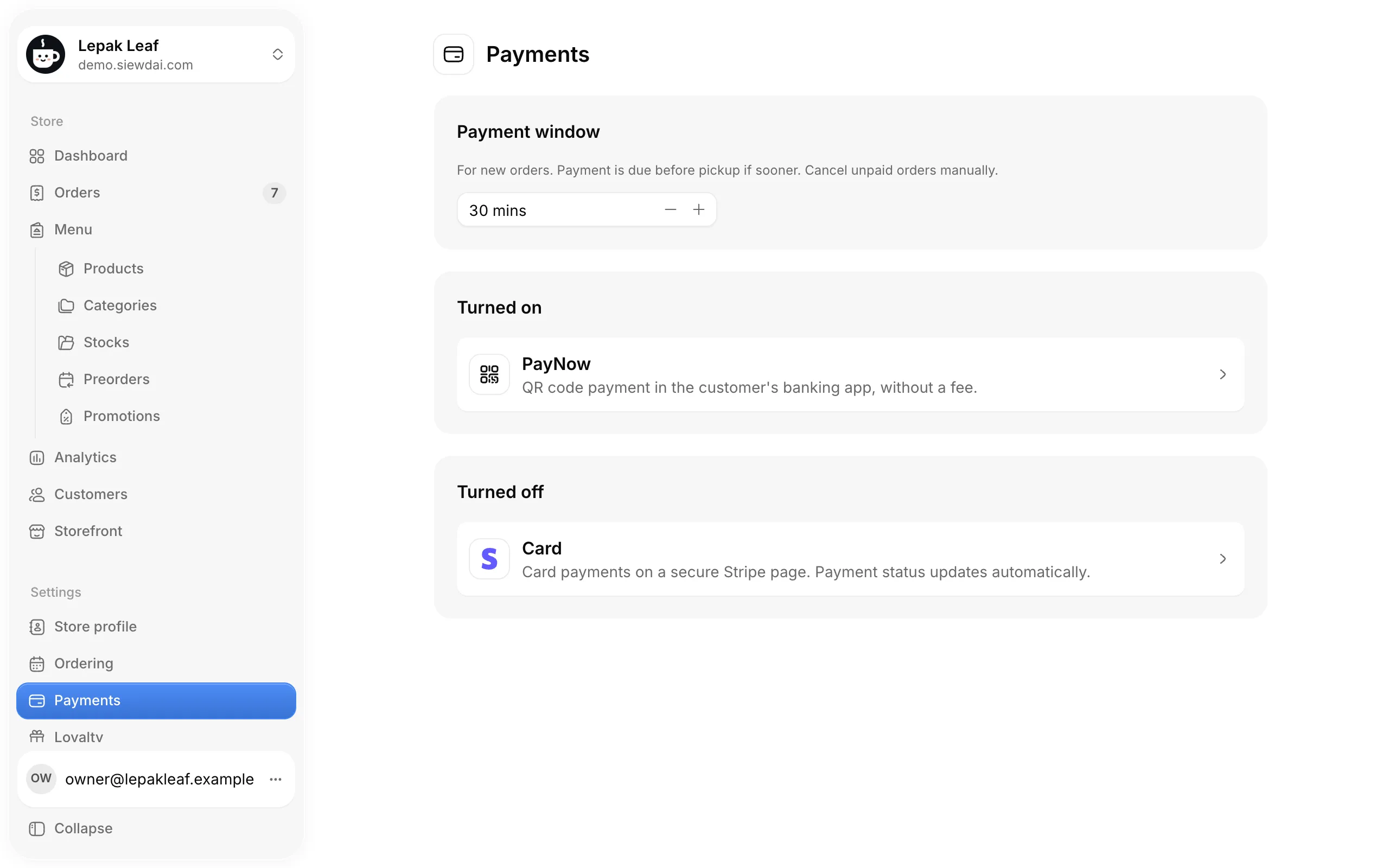
Open Payments
Payments lists PayNow and Card. Above them, the payment window sets how many minutes customers have to pay a new order, or until pickup if that's sooner.
Enter your PayNow details
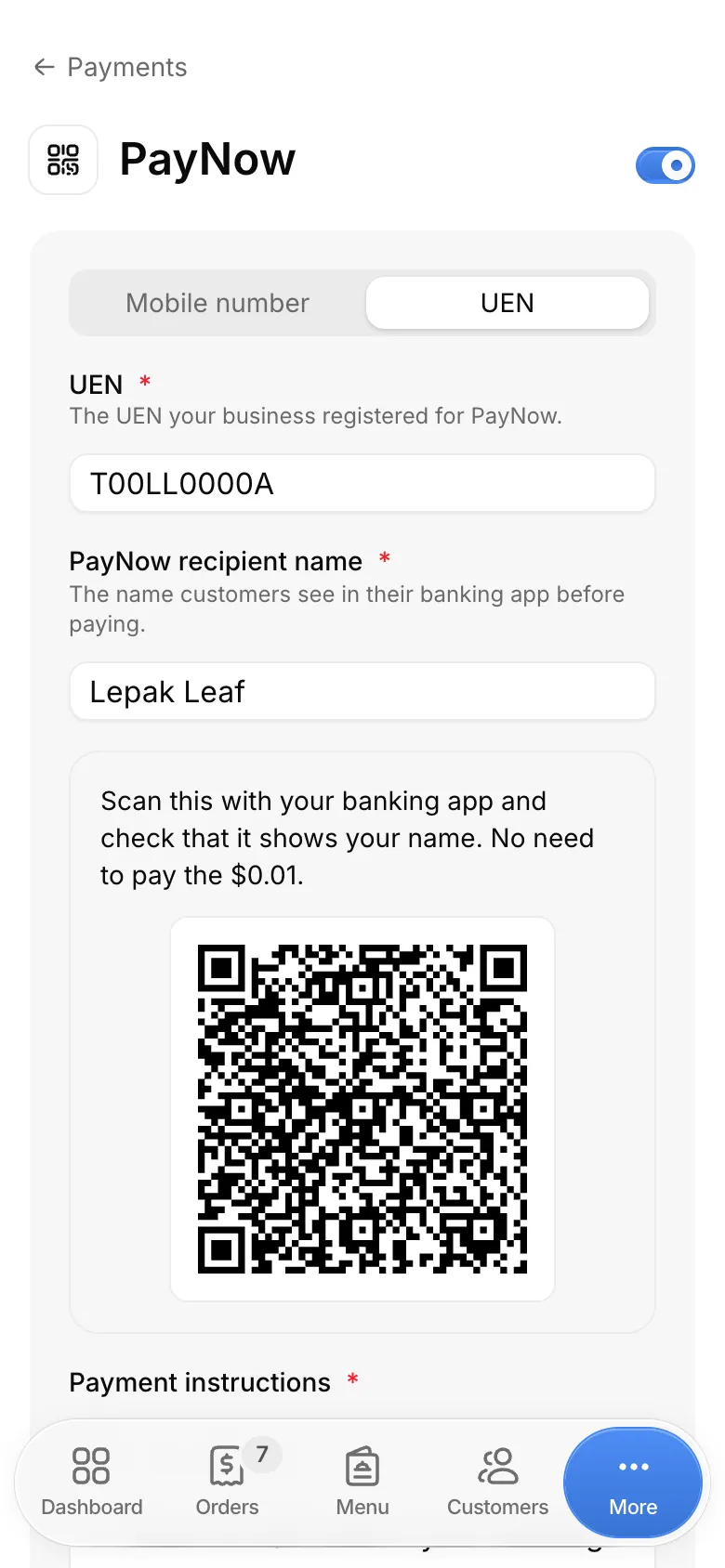
Open PayNow. Choose Mobile number or UEN and enter it, then the PayNow recipient name customers see in their banking app.
Scan the test QR code with your banking app and check it shows your name. You don't need to pay it.
Add payment instructions and turn it on
Payment instructions show beside the QR code on each order. Then turn on PayNow with the switch at the top.
Each order keeps the details it was placed with, so changes apply to new orders.


Each PayNow order
The customer pays and uploads a receipt
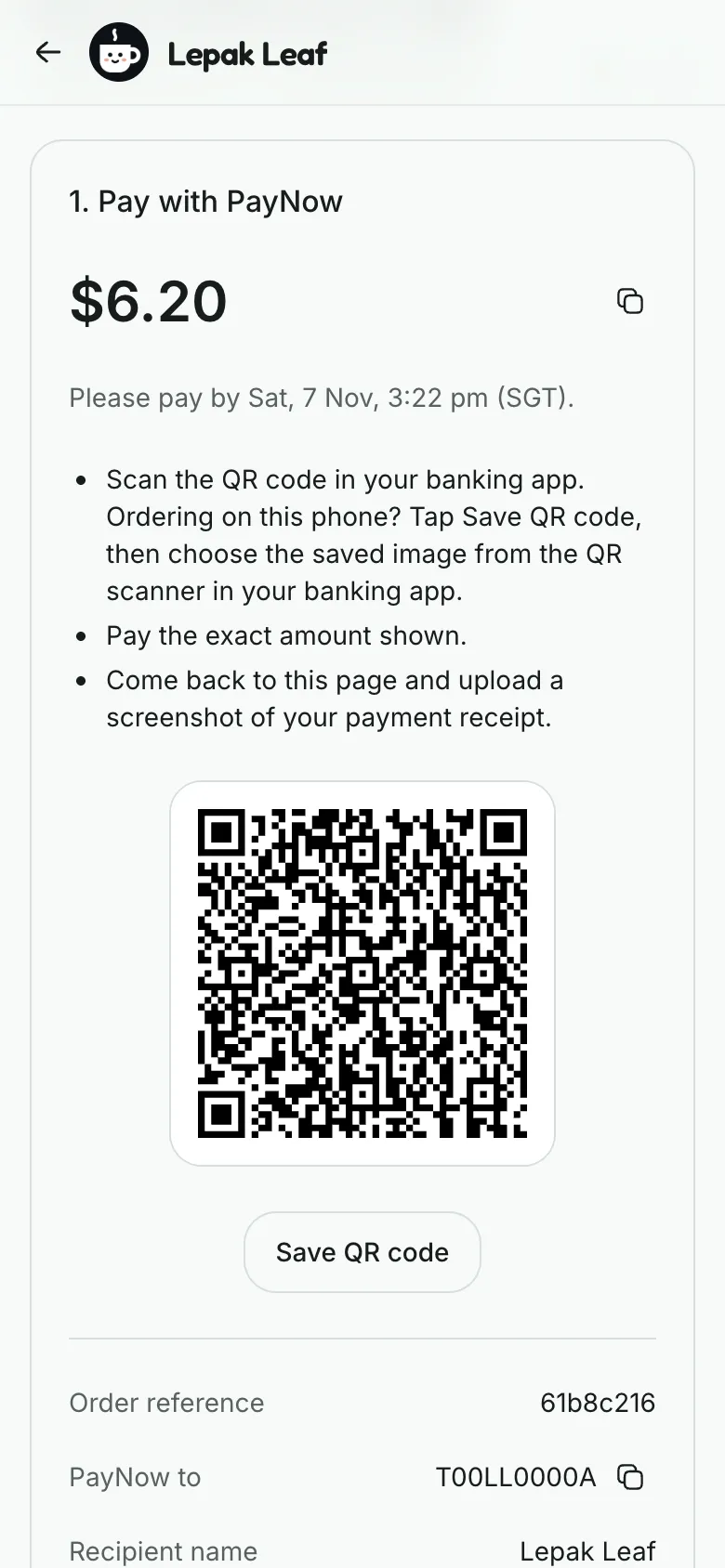
Their order page shows the amount, a QR code for it with the order reference, and your details. After paying, they upload a screenshot of the confirmation.
Your team gets an order alert for each receipt.
Check it against your bank
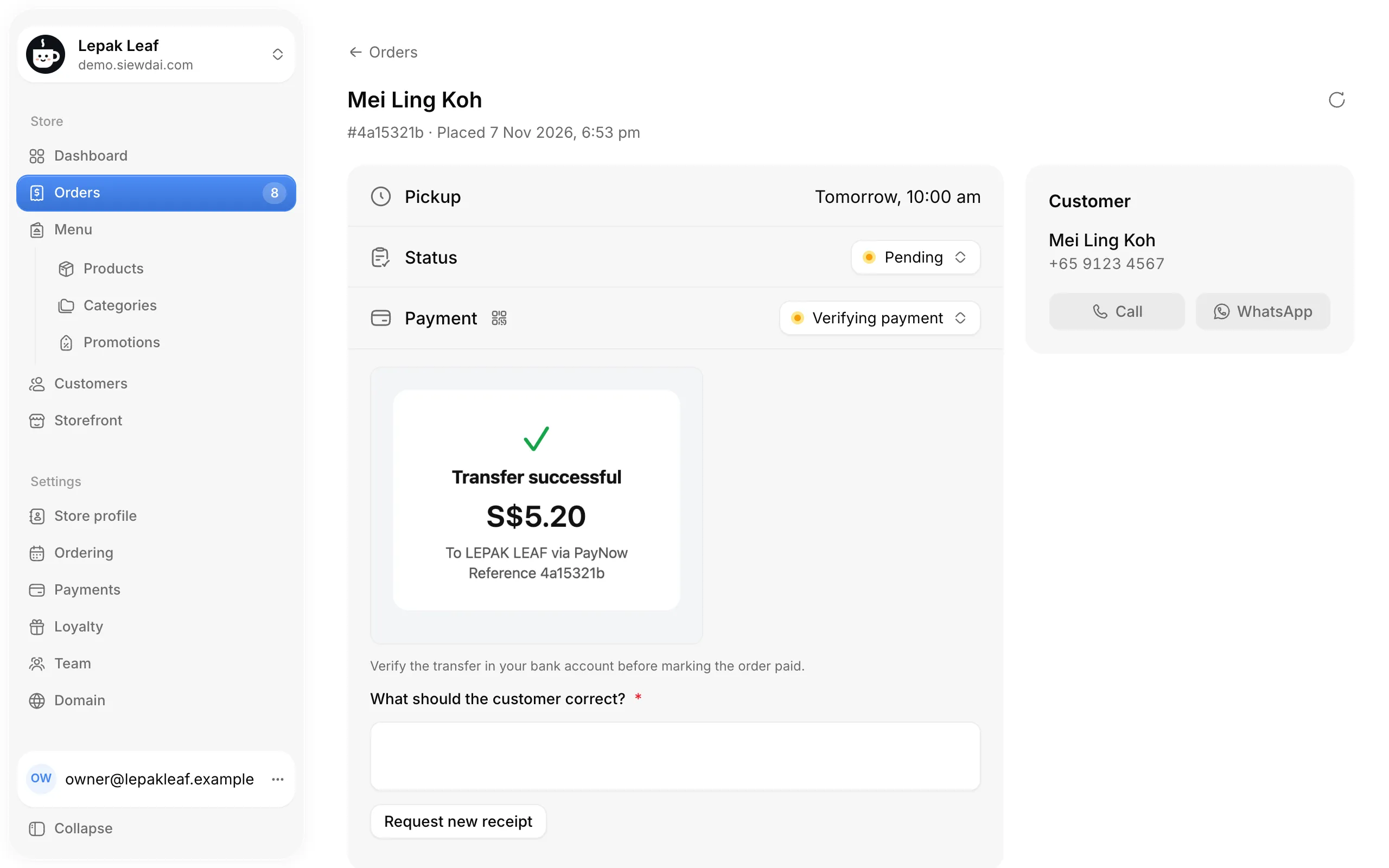
Orders with a receipt show Verifying payment in Orders. Open one and check the transfer has reached your bank account: a receipt alone doesn't prove payment. Then set Payment to Paid.
Or ask for a new receipt
If the receipt doesn't match, write what the customer should correct and tap Request new receipt. Their order page shows your note and asks for a replacement.


Unpaid orders
Orders still unpaid after the payment window show as overdue. Find them with the Payment overdue filter in Orders. They're never cancelled for you, and their stock and pickup times stay reserved until you cancel them. Until then, customers can still pay and send a receipt.
Card payments
Only the café's main Owner, who created it, can connect Stripe. In Payments, open Card, tap Connect Stripe and finish Stripe's setup. Once it shows Ready, turn on card with the switch at the top.
You can add a card fee of up to 5% plus S$2 to each card order. Customers see it before they pay. Card orders need a total of at least S$0.50.
Customers pay on a secure Stripe page from their order page, and the order shows Paid once Stripe confirms it. Stripe's fees and payouts are in your Stripe dashboard.

Refunds
To refund a card payment Stripe confirmed, an Owner sets the order's Payment to Refunded, picks a reason and confirms. Stripe sends the full payment back to the customer's card, and the order shows Refunded once Stripe finishes. A full refund you make in your Stripe dashboard marks the order refunded too.
PayNow payments, and card payments you marked paid yourself, you refund yourself: from your bank, or in your Stripe dashboard. Then set the order's Payment to Refunded and pick a reason, so your records match. Only a paid order can be refunded.

Read next
Order alerts on your phone
Install the admin and turn on push notifications.
Getting started
Set up your café, step by step, for its first order.
Limits and settings
What you can change, and what is fixed.
Still stuck? Write to hello@siewdai.app.